

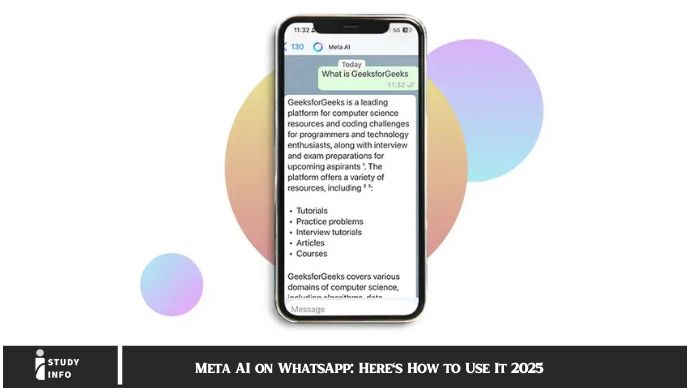
Meta AI on WhatsApp: Here’s How to Use It 2025 Meta AI has officially made its mark on WhatsApp, ushering in a new era of smart messaging. With artificial intelligence integrated into one of the world’s most popular messaging apps, Meta is providing features designed to make communication smoother, more efficient, and user-friendly. If you’re wondering how to leverage these cutting-edge features, you’re in the right place.
In this article, we’ll dive into the different ways you can use Meta AI on WhatsApp, from setting up automated replies to using advanced tools like smart chatbots and real-time translations. Whether you’re an everyday user or running a business, this guide will help you make the most of Meta’s AI capabilities.
What Is Meta AI on WhatsApp?
Meta AI refers to artificial intelligence technologies that Meta (formerly Facebook) has integrated across its platforms, including WhatsApp. By bringing AI into WhatsApp, Meta has enabled features that make messaging more intuitive, convenient, and faster.
From automated responses to smart content suggestions, Meta AI understands context and user behavior to optimize communication. Whether you’re chatting with friends, colleagues, or customers, Meta AI helps WhatsApp become more responsive to your needs. It can even help automate tasks, save time, and make global communication easier with features like real-time translation.
Why Meta AI on WhatsApp Is a Game-Changer
Meta AI on WhatsApp isn’t just a nifty addition—it’s a total game-changer for anyone looking to streamline communication. Whether you’re a business owner, a digital marketer, or just someone who values efficiency, these are some reasons why you’ll love Meta AI:
1. Enhanced Personalization
Meta AI can analyze your messaging patterns and offer personalized responses or suggestions. This means that over time, WhatsApp gets smarter, anticipating your needs and offering relevant responses automatically. If you’re dealing with customer inquiries, it can also suggest responses based on prior interactions, helping you save valuable time.
2. Smarter Interactions
One of the most exciting things about Meta AI on WhatsApp is its ability to learn from context. Whether you’re sending a quick reply or asking for a piece of information, Meta AI can offer suggestions tailored to the flow of the conversation. No more awkward pauses or missing information!
3. Time-Saving Automation
With AI-powered automation, Meta can help streamline communication processes. Whether you’re responding to customer queries or managing group chats, Meta AI offers features like smart replies and automated messages. This means you can focus on what matters without spending too much time on repetitive tasks.
4. Advanced Security Features
Meta has always prioritized security, and with the power of AI, WhatsApp’s safety features are more robust than ever. AI can help detect unusual activity and protect users from scams, phishing attempts, or other malicious activities. Meta AI strengthens WhatsApp’s security layers, ensuring your conversations remain private.
Setting Up Meta AI on WhatsApp
Ready to get started with Meta AI? Here’s a step-by-step guide to enable AI features on WhatsApp.
Step 1: Update WhatsApp
The first step is to ensure you’re running the latest version of WhatsApp. Go to your app store (Google Play for Android or Apple App Store for iOS) and check for updates. If an update is available, download it to get access to all the new Meta AI features.
Step 2: Enable AI Features
Once your app is updated, open WhatsApp and head to “Settings.” Here, you’ll find a section dedicated to AI features, such as Smart Replies, Voice-to-Text, and Smart Translations. Simply toggle these settings to “Enable,” and you’re good to go.
Step 3: Customize Preferences
Meta AI allows you to customize how AI features work in your chats. For example, you can control how frequently you want AI to suggest responses or choose which types of notifications you’d like to receive.
With these settings adjusted, WhatsApp will start incorporating AI into your chats automatically. You can always revisit your settings to fine-tune how it functions as you go along.
Key Features of Meta AI on WhatsApp
Meta AI brings several exciting features to WhatsApp that can make a huge difference in how you communicate. Let’s take a look at some of the standout options:
1. Smart Replies
If you’ve ever wished for quicker responses in chats, Meta AI’s Smart Reply feature is here to help. This feature suggests responses based on the context of your conversation, saving you time and effort. Whether you’re dealing with a “thanks” message or responding to a business inquiry, AI provides relevant, context-based suggestions.
2. Automated Business Solutions
Meta AI is a game-changer for businesses using WhatsApp to communicate with customers. It can automate replies, set up chatbots for customer service, and even schedule follow-up messages. This reduces the time you spend answering repetitive questions and allows businesses to provide 24/7 customer service.
3. Real-Time Translation
Language barriers can be tricky, especially when you’re trying to communicate with people across the globe. Meta AI’s real-time translation feature breaks down these barriers by automatically translating messages between different languages. This helps international conversations flow seamlessly, without requiring third-party translation apps.
4. Voice-to-Text Conversion
If typing out long messages isn’t your thing, don’t worry—Meta AI has your back. Voice-to-Text Conversion takes your spoken messages and turns them into text, allowing you to send messages without lifting a finger. Whether you’re on the go or just want to multitask, this feature makes messaging a breeze.
5. Smart Chatbots for Businesses
WhatsApp businesses can use Meta AI’s chatbot capabilities to automate customer interactions. Chatbots can handle common inquiries, process orders, or even schedule appointments. This functionality ensures you can interact with customers quickly, without sacrificing personalization.
Best Practices for Using Meta AI on WhatsApp
To make the most of Meta AI, here are some best practices you can implement:
1. Enable Smart Replies for Faster Communication
Whether you’re communicating personally or in a business context, enabling smart replies helps you quickly respond to routine messages. You’ll save time and avoid typing repetitive responses.
2. Use Chatbots to Handle Customer Queries
If you run a business, setting up a chatbot is one of the smartest moves you can make. Chatbots powered by Meta AI can assist in answering FAQs, managing bookings, or even providing after-sales support.
3. Use Real-Time Translation When Traveling
Planning a trip or communicating with international clients? Turn on real-time translation, and let Meta AI handle language differences. It will translate messages instantly, saving you from the hassle of using third-party apps.
4. Keep AI Personalized for Your Needs
Adjust Meta AI settings based on your preferences. Whether you need more frequent suggestions for smart replies or want to limit the use of chatbots, tailoring the features to your needs ensures optimal use.
5. Regularly Check Analytics for Insights
For businesses, Meta AI can provide analytics on customer interactions. Regularly checking these insights helps you understand customer needs, preferences, and how you can improve communication.
Security Benefits of Meta AI on WhatsApp
Security is a priority for Meta, and AI plays an essential role in keeping WhatsApp users safe. Here’s how Meta AI enhances security:
1. Fraud Detection
AI algorithms can detect suspicious patterns in messages or account activity. If anything looks off—like an attempt to scam or steal sensitive information—Meta AI flags it immediately.
2. Spam Protection
Spam is a nuisance on messaging apps. Meta AI actively monitors and blocks spam accounts, preventing unwanted messages from reaching you.
3. End-to-End Encryption
Meta’s AI-powered security tools work alongside WhatsApp’s end-to-end encryption to protect your messages. This ensures that only you and your recipient can read your messages, preventing unauthorized access.
May you also like it:
How to Delete Your Telegram Account: A Step-by-Step Guide 2025
Telegram Channels: How to Find and Join Telegram Groups or Channels [2025]
How to Create a Telegram Account: 10 Easy Methods [2025]
FAQ
1. What is Meta AI on WhatsApp?
Meta AI is a set of artificial intelligence features integrated into WhatsApp to enhance communication, automate tasks, and improve security.
2. How do I activate Meta AI on WhatsApp?
To activate Meta AI, update your app to the latest version and enable AI features in your settings.
3. Can businesses use Meta AI on WhatsApp?
Yes! Meta AI provides businesses with tools like chatbots, automated responses, and real-time analytics to improve customer service.
4. Is there a cost to use Meta AI on WhatsApp?
Meta AI features are free for all users; however, businesses using advanced AI tools like chatbots may need to subscribe to specific plans.
5. How does Meta AI help with security?
Meta AI uses machine learning to detect fraud, block spam, and protect user data with enhanced encryption.
6. Can Meta AI translate messages automatically?
Yes, Meta AI offers real-time message translation to break down language barriers in conversations.
Conclusion
Meta AI on WhatsApp transforms the way we communicate—whether it’s speeding up replies, automating business processes, or breaking down language barriers. With the added layer of security and customization, WhatsApp becomes not just a messaging app, but a powerful tool for businesses and everyday users alike. So, if you haven’t started using Meta AI yet, now’s the perfect time to dive in and experience the future of messaging!
