

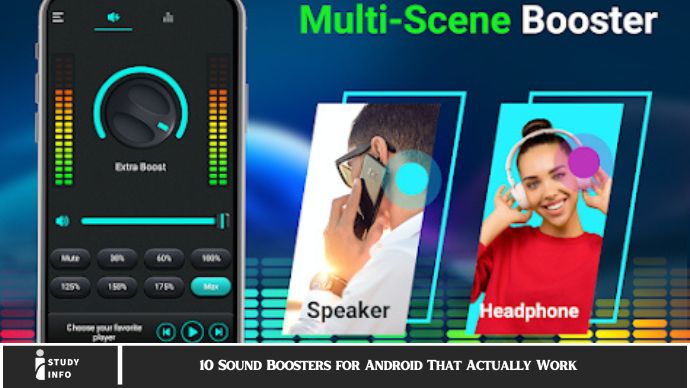
10 Sound Boosters for Android That Actually Work Android devices offer plenty of apps that claim to enhance your sound experience, but not all of them live up to their promises. You need reliable, effective sound boosters that actually improve volume, bass, clarity, and overall sound quality. In this post, we’ll introduce you to 10 sound boosters for Android that really work—apps that deliver enhanced audio with easy-to-use features. Say goodbye to poor sound quality and hello to an immersive audio experience!
1. Volume Booster Pro
If you’re after simple and effective sound amplification, Volume Booster Pro is one of the top choices. This app can increase your Android’s sound output, making your phone louder by adjusting the speaker’s capabilities. Whether you need to boost music, videos, or ringtone volume, this app delivers a significant increase in sound.
Volume Booster Pro features a straightforward interface, offering sliders for controlling sound levels across various categories, including media, alarms, and notifications. It also lets you increase the system volume without affecting sound quality, ensuring clarity even at higher levels. For those who want a quick, reliable boost, Volume Booster Pro is a must-have tool.
2. Boom: Music Player & Equalizer
Boom is much more than just a sound booster; it’s a full-fledged audio enhancement tool. This app brings powerful bass, treble, and volume control, providing a rich, high-quality sound experience for music lovers. Boom uses 3D surround sound technology, allowing you to experience your music as if it’s coming from all around you, regardless of the genre.
Boom’s intuitive equalizer lets you tweak sound frequencies to your liking. Plus, with pre-set sound effects like Bass Boost and Clarity mode, you don’t need to spend time fine-tuning. Whether you’re playing music through wired headphones or Bluetooth speakers, Boom elevates your listening experience by making it feel dynamic and immersive.
3. Viper4Android FX
For audiophiles who want complete control over their audio settings, Viper4Android FX is the gold standard. This app goes beyond simple volume boosting, offering advanced audio enhancement options such as equalizer presets, reverb control, and even a soundstage expansion feature.
Viper4Android FX also supports DIRAC HD Sound, improving your audio quality by enhancing bass and clarity. It’s perfect for users who enjoy experimenting with sound settings and want to achieve the perfect audio setup for any situation. With its comprehensive features, this app is ideal for Android users who demand nothing less than superior audio.
4. Music Volume EQ
If you’re looking for a sound booster that focuses on improving audio during music playback, Music Volume EQ is one of the best. This app allows you to increase your music volume and adjust various sound parameters like bass, treble, and equalizer settings.
Music Volume EQ’s user-friendly interface includes a 5-band equalizer that provides easy control over sound adjustments. It also comes with a built-in bass booster for enhancing low-end sounds, perfect for boosting bass-heavy tracks or giving your favorite songs a richer feel. It’s a fantastic choice for those who want more control over their music listening experience.
5. Equalizer FX
Equalizer FX is another top-tier app that focuses on enhancing audio output across your Android device. This app offers a 5-band equalizer, allowing you to fine-tune the bass, midrange, and treble frequencies to suit your preference. Whether you’re listening to music, podcasts, or movies, Equalizer FX ensures that you get clear, balanced audio.
In addition to the equalizer, Equalizer FX also includes a bass booster and virtualization effect, creating a more dynamic, spatial audio experience. If you prefer a sleek, no-nonsense interface without too many bells and whistles, this app is perfect for maximizing your Android’s sound quality without overwhelming you with too many settings.
6. Bass Booster & Equalizer
As the name suggests, Bass Booster & Equalizer focuses on increasing the bass frequencies of your audio, making it perfect for music lovers who enjoy a deeper, fuller sound. The app also includes an equalizer with several preset modes for different audio genres, such as rock, pop, or classical music.
This app works well with most media players and streaming apps, making it ideal for boosting sound quality across all your audio content. The bass booster delivers an intense, immersive audio experience, while the equalizer allows you to tweak your sound settings further. It’s a fantastic app for users who want a little extra oomph in their audio.
7. Wavelet: Headphone Specific Parametric Equalizer
Wavelet is a unique sound booster app that’s tailored to users who want to optimize audio playback on their headphones. Using a parametric equalizer, Wavelet offers headphone-specific sound adjustments based on the model you’re using. This ensures that every headphone type gets the best possible sound boost, regardless of brand or design.
With Wavelet, you get access to professional-grade sound customization options, including a 9-band equalizer, gain control, and headphone-specific tuning. If you’re serious about your music and headphones, this app is an excellent choice for boosting sound quality and achieving a balanced, rich listening experience.
8. Super Volume Booster
Super Volume Booster is an easy-to-use app that instantly boosts the volume across your Android device. It’s a great tool for people who want a quick fix to their low sound output. Super Volume Booster increases both media and call volume, making it a versatile solution for users who need louder audio for any activity.
Although it’s simple and doesn’t have as many advanced features as some other apps, Super Volume Booster is effective at raising volume levels. It’s perfect for people who need a straightforward solution without diving deep into equalizer settings or advanced audio effects.
9. Dolby On: Record Audio & Music
Known for its amazing sound technology, Dolby On takes your audio experience to the next level. While this app is primarily designed for recording high-quality audio, it can also be used to enhance existing audio files by optimizing sound clarity, volume, and depth.
Whether you’re listening to music, podcasts, or audiobooks, Dolby On automatically adjusts the sound based on your environment. It also has noise reduction features, making it ideal for environments with background noise. If you’re seeking a clean, immersive sound that feels professional, Dolby On is worth a try.
10. Sound Booster
Sound Booster is another excellent app for boosting the sound volume of your Android device. Whether you’re watching videos or listening to music, this app increases your sound output without distorting audio quality. It offers a variety of preset sound profiles, so you can choose the best one for your needs.
With a simple, easy-to-navigate interface, Sound Booster gives you full control over your device’s audio settings. Whether you’re at home or on the go, this app guarantees that your Android’s sound will be at its peak, offering both loudness and clarity.
FAQ
Q1: Do sound boosters affect sound quality?
Yes, well-designed sound boosters can enhance sound quality by improving clarity, bass, and volume without distortion, providing a more dynamic audio experience.
Q2: Are sound boosters safe to use?
Absolutely! Most sound booster apps are safe and designed to work within your Android’s limits, but it’s always wise to use them cautiously to avoid damage to your speakers.
Q3: Will using sound boosters increase battery consumption?
Some sound booster apps can consume more battery when used at high volumes. Always keep an eye on battery usage if you’re using an app for extended periods.
Q4: Can I use these apps with headphones?
Yes! Most sound booster apps work perfectly with wired and Bluetooth headphones, enhancing your sound experience further.
Q5: How do I choose the best sound booster for my needs?
Consider your primary use: If you want bass, go with a bass booster app. If you need full control over sound frequencies, an equalizer app would be ideal.
Q6: Are these apps free to use?
Many of these apps are free to download but offer in-app purchases or premium versions for access to more advanced features.
Conclusion
Finding the right sound booster app for your Android device can transform the way you experience audio. Whether you want to amplify your music, improve your movie watching experience, or simply enjoy clearer, louder sound during phone calls, the apps listed above offer a variety of solutions to fit every need.
From simple volume boosters to advanced equalizers with customizable sound settings, there’s something for everyone. So why settle for weak, tinny sound? Download one of these sound boosters today and start enjoying a richer, more immersive audio experience on your Android device!
